Skip to content

Guide · used car checks in the UK

Free VIN check UK: the official checks and what they miss

What you can find out about a used car for free on GOV.UK, where to find its VIN, how to spot a suspect log book, and when a paid history report is worth it.

carVertical affiliate link: CheckByVIN earns a commission, your price stays the same.

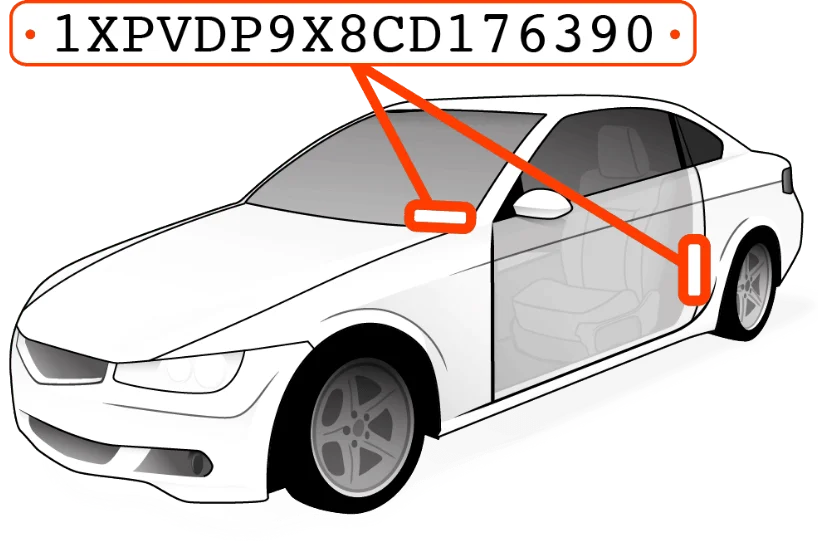
Car with arrows pointing to the VIN plate at the base of the windscreen and on the door pillar

Step by step

Free checks before you buy a used car

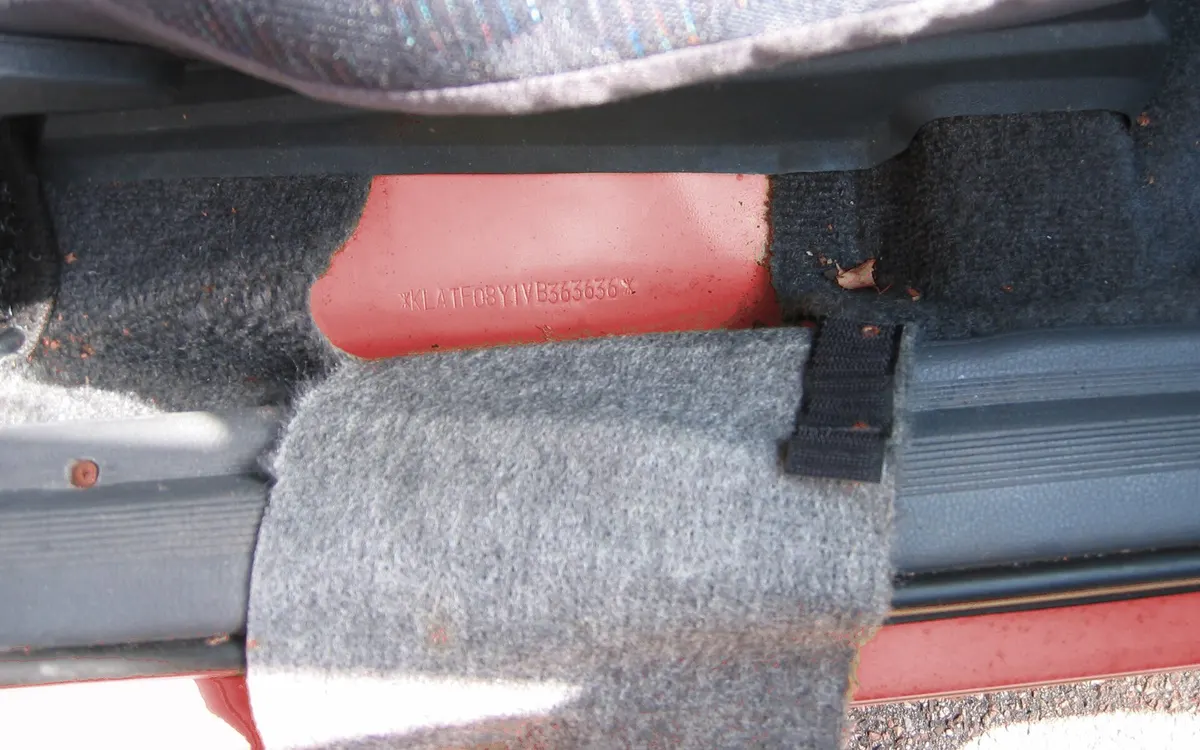
VIN stamped into the floor of a car under the seat
Photo: Hans Haase, CC BY-SA 3.0, Wikimedia Commons, cropped.
01

Where to find the VIN, and why it beats the reg

The vehicle identification number has 17 characters, letters and digits, without I, O or Q. You will find it:

  • on the V5C log book, on the line marked E (VIN/Chassis/Frame no);
  • on a small plate at the bottom of the windscreen, readable from outside on most cars;
  • on the manufacturer’s label on a door pillar;
  • stamped into the body, in the engine bay or under the carpet by a front seat.

A number plate can be swapped for a private plate and moved to another car; the VIN stays with the car for life. Check that the VIN on the car and the one on the log book are identical.
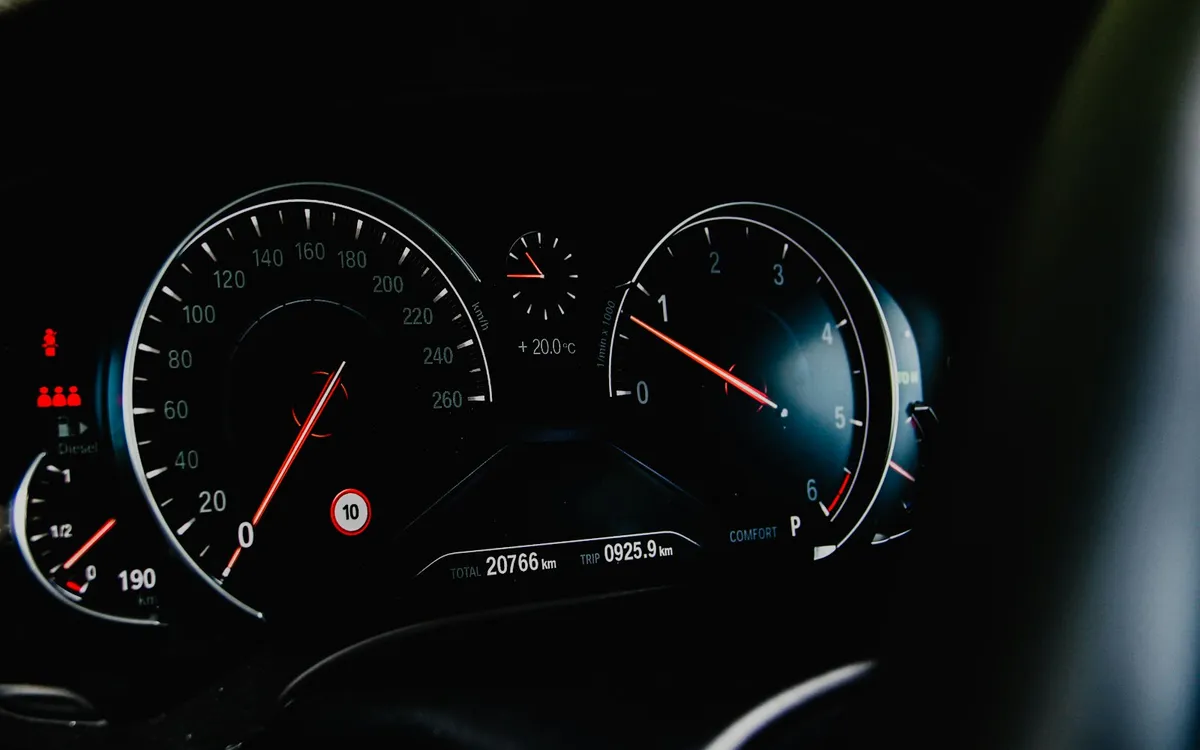
BMW instrument cluster showing the mileage
Photo: Unsplash (Unsplash Licence), cropped.
02

Free MOT history on GOV.UK

The MOT history service needs only the number plate. It shows:

  • whether each MOT was passed or failed;
  • the mileage recorded at each test;
  • when the next MOT is due;
  • for tests in England, Scotland and Wales, the parts that failed and minor problems noted by the tester.

Results for cars go back to 2005 (Northern Ireland: 2017). Read the mileage column carefully: a reading lower than the one before it, or a long gap without a test, deserves a question to the seller.

Modern garage with cars on lifts
Photo: Unsplash (Unsplash Licence), cropped.
03

DVLA vehicle enquiry: does the car match the advert?

The free DVLA vehicle enquiry shows what DVLA holds about the car, including:

  • tax status, SORN and MOT expiry;
  • date of first registration and year of manufacture;
  • the date the latest V5C was issued;
  • engine size, fuel type and CO2 emissions;
  • export status.

Compare these with the advert. A different engine size or year is a warning; a log book issued last week may simply mean a recent change of keeper, but ask why. Insurance can be checked separately on askMID.

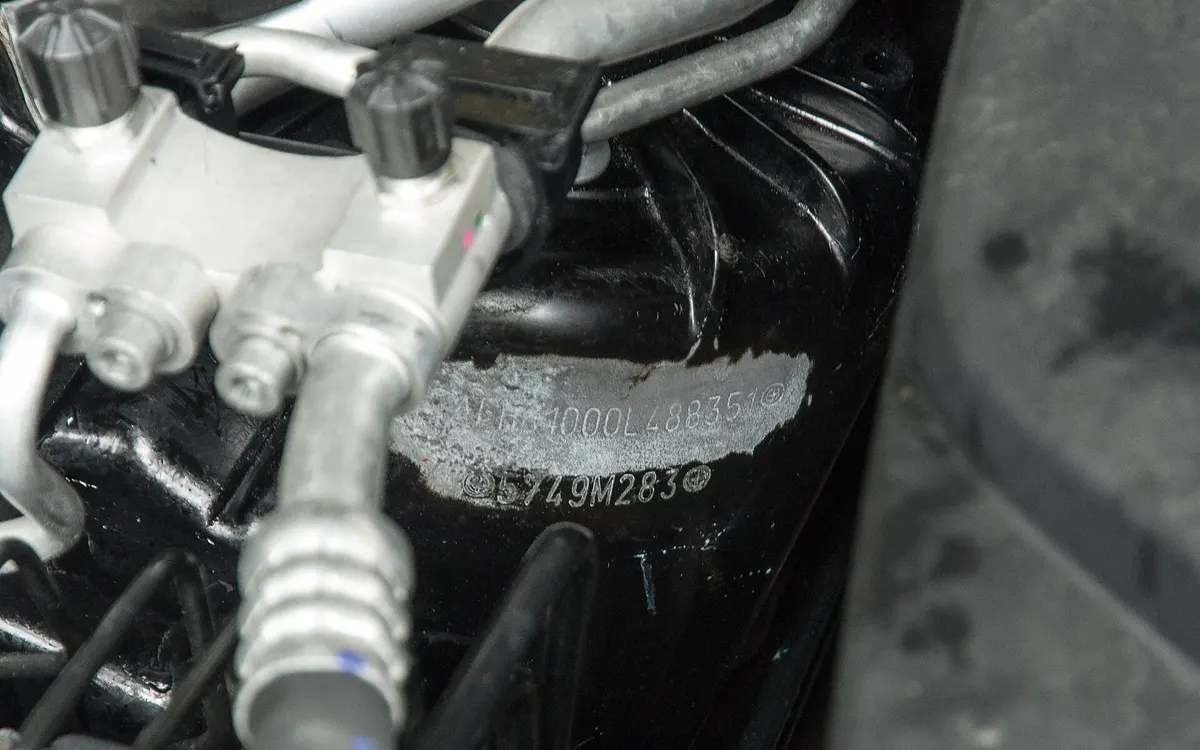
Tampered VIN stamped in an engine bay
Photo: Thilo Parg, CC BY-SA 3.0, Wikimedia Commons, cropped.
04

Checking the V5C log book at the viewing

GOV.UK’s checklist for buyers asks you to:

  • make sure the V5C has a DVL watermark;
  • check the serial number is not between BG8229501 and BG9999030 or BI2305501 and BI2800000, ranges that might be stolen;
  • match the VIN and the engine number on the car with the log book;
  • check that the seller’s details match the log book.

Also look at the model’s safety recalls on GOV.UK and ask whether the work was done.

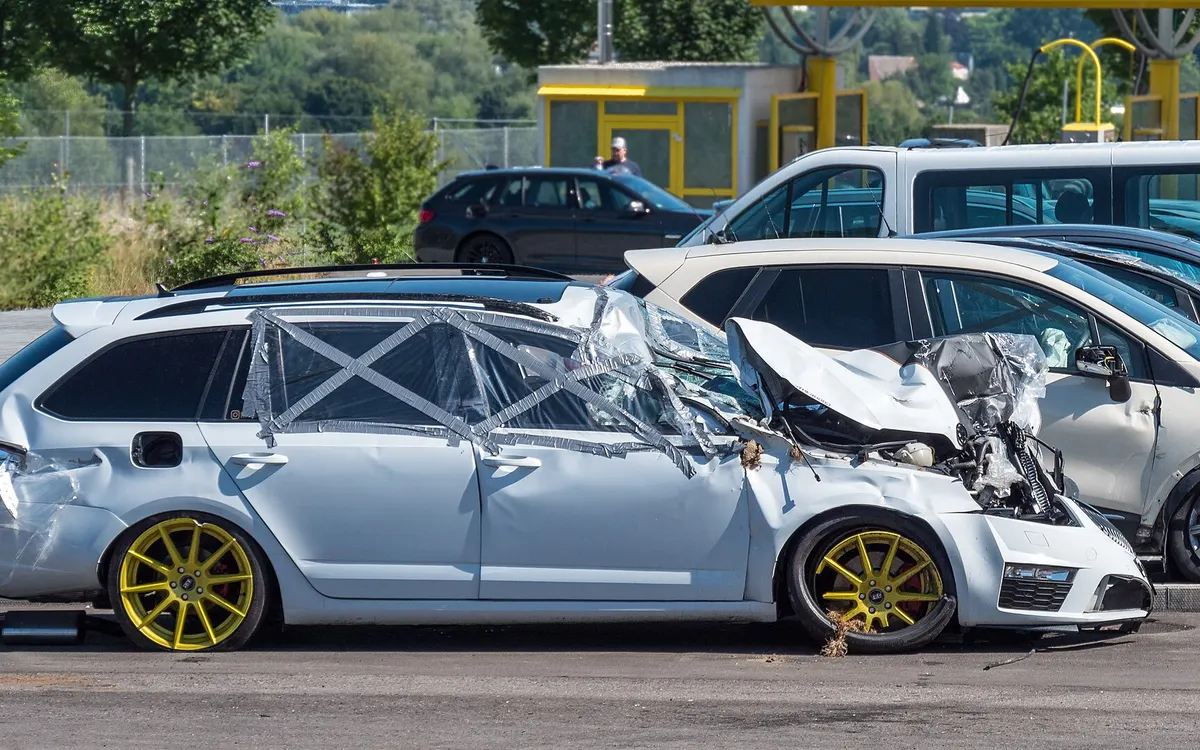
Estate car with front-end accident damage
Photo: JoachimKohler-HB, CC BY-SA 4.0, Wikimedia Commons, cropped.
05

What the free checks do not show

The official services are built for tax, MOT and registration, not for a buyer’s full picture. They do not list:

  • recorded accident damage and repair estimates;
  • theft records;
  • mileage readings between MOTs, from services, auctions or adverts;
  • history from before a car was imported;
  • photos from earlier adverts.

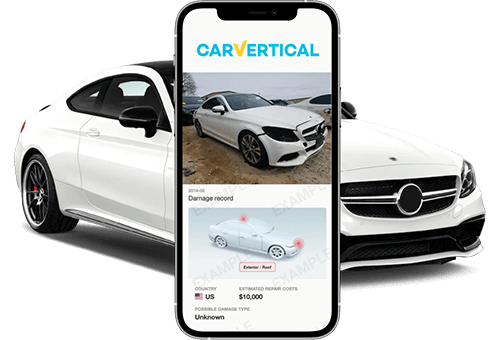
That is the gap a paid report fills where records exist. Among UK cars checked on carVertical, 41.12% had recorded damage (Transparency Index 2026). Through our link a report costs £16.79 each in the 3-report package (£50.38 in total), or £31.99 for one.

Your checklist

Check a used car in four steps

  1. 01

    Get the reg, VIN and MOT test number

    Ask the seller before you travel; GOV.UK suggests the same.

  2. 02

    Run the free GOV.UK checks

    MOT history, DVLA details and recalls, all with the number plate.

  3. 03

    Fill the gaps with a report

    Damage, theft records, extra mileage readings and old advert photos, where recorded.

  4. 04

    Inspect the car and the V5C

    Watermark, serial number and VIN on the car; a mechanic for the rest.

Report box: check the car by VIN or number plate

Before you pay a deposit

Find out whether:

  • Has the mileage been wound back?
  • Has it been in an accident?
  • Is it recorded as stolen?
  • Was it damaged and repaired?
  • What did it look like in old adverts?
  • Has it been on UK roads all its life?

With CheckByVIN£16.79 / report£20.99Extra −20%3-report package · £50.38 in total

carVertical affiliate link: CheckByVIN earns a commission, your price stays the same.

Quick answers

Frequently asked questions

Can I check a car’s history for free in the UK?

Partly. GOV.UK shows the MOT history (results, mileage at each test, failure reasons) and the DVLA vehicle details for free with the number plate. Damage records, theft records and history abroad are not part of the free services.

Can I find the VIN from the number plate for free?

Not through the official services: the DVLA enquiry and the MOT history do not show the full VIN. Ask the seller, read it from the windscreen plate or the V5C, or search by plate in our form, which does not need the VIN.

How far back does the free MOT history go?

For cars, motorcycles and vans tested in England, Scotland or Wales, results go back to 2005. For tests in Northern Ireland, results start in 2017.

Can I find out who owns a car from the reg?

Not online. DVLA only releases details of a current or previous registered keeper on a written request with a reasonable cause. History reports do not contain owners’ names.

Is a car with a stolen V5C always stolen?

Not always, but GOV.UK warns that log books with serial numbers BG8229501 to BG9999030 or BI2305501 to BI2800000 might be stolen. If you see one, do not buy and call the police when it is safe to do so.

Sources
  1. Check the MOT history of a vehicle, GOV.UK
  2. Get vehicle information from DVLA, GOV.UK
  3. Check a used vehicle you’re buying, GOV.UK
  4. Check if a vehicle, part or accessory has been recalled, GOV.UK
  5. Get a vehicle log book (V5C), GOV.UK
  6. carVertical Market Transparency Index 2026: United Kingdom (carvertical.com/gb/transparency-index/united-kingdom)

Where do I find the VIN?

Car with arrows pointing to the VIN plate at the base of the windscreen and on the door pillar
  1. On the V5C log book: the line marked E, "VIN/Chassis/Frame no".
  2. Through the windscreen: a small plate at the bottom corner on most cars, readable from outside.
  3. On a door pillar: the manufacturer's label when you open the door.
  4. Stamped into the body: in the engine bay or under the carpet near a front seat, depending on the model.

A VIN is 17 letters and numbers and never uses I, O or Q. The number on the car must match the log book.

Don't have the VIN?

  1. Use the number plate: open the Reg plate tab of the form and search without the VIN.
  2. Ask the seller for the VIN or a photo of the V5C. Private sellers and dealers can share it before a viewing.
  3. Zoom into the advert photos: the windscreen plate is sometimes readable.
  4. At the viewing, compare the VIN on the car with the log book before you pay anything.

If a seller refuses to give the VIN or show the log book, walk away.

More on finding the VIN